


Set the range
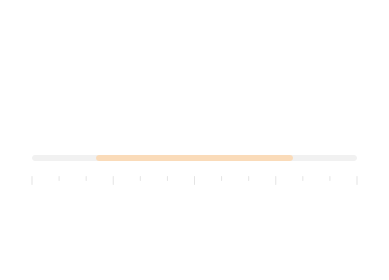
Enter the lower and upper prices manually or set them on the chart.
Set a price range and the number of orders, and the Veles GRID bot splits the range into levels to build an order grid. When the price hits a level, the bot opens a trade; when it moves to the next one, the bot closes it with a profit of one grid step. Again and again, as long as the price stays in the range.
A grid bot buys on pullbacks and sells on rallies: as soon as the price reaches a grid level, the bot sends a market order to buy or sell.
Enter the lower and upper prices manually or set them on the chart.
In Neutral mode, buy levels sit below the current price and sell levels above it; Long mode only buys, Short mode only sells. You set the number of orders in the grid (up to 500) or the interval between them, and the bot calculates the price levels and tracks the price. As soon as it touches a level, the order is executed at market.
Once an opening order is filled, the bot immediately places a counter order on the neighbouring level. When the counter order fills, the cycle closes with a profit and the level is ready to work again. The more volatile the range, the more trades get closed.
Range 75,000–80,000 USDT, Neutral mode. Below 77,512 there are 11 buy orders, above it 10 sell orders.
The price touches 77,250 and the bot buys. The next target is a sell at 77,500.
The sell at 77,500 is filled: +0.32% of the order size. The buy at 77,250 is waiting for the next pullback.
Every swing one level up and down is one more closed trade.
The figures illustrate how the bot works and are not a forecast.
The grid always sits within the range you set. The mode defines which way the cycles trade and how the bot behaves when the price moves away from the launch point. The “Trading type” switch is in the first block of the configurator.
TradingView chart on the left, parameter form on the right. No code or extra software needed: even a beginner sets up a grid in a couple of minutes.
Drag the “Upper price” and “Lower price” lines on the TradingView chart. The form fields update automatically, and the percentage from the current price is shown right away.
The “Open table” button under the chart shows the grid orders: the size, price and notional value of each. The size is the same on every level, the notional value depends on the level price.
Set the number of orders, up to 500 per grid, and the bot calculates the step. Or the other way round: set the step in %, and the bot calculates the number of orders.
A level trade opens when the opening order is filled, and the bot immediately places a counter order. Once the counter order fills, the cycle closes with a profit and the level is ready to work again. On the exchange, all cycles add up to a single position.
The grid starts only when the indicator filters trigger and closes on an exit signal. Condition groups are combined with AND / OR.
Leverage from 1x to 100x, the maximum available depends on the pair. Isolated or cross margin.
Popular pairs are sorted by the number of profitable trades per day, and the exchange balance is shown next to the deposit field.
One click picks a range and grid for the current market conditions. After that, any parameter can be adjusted manually.
The grid bot calculator shows the grid step, cost, size of one order and profit per trade before you even create the bot.
Order spacing
1.17%
grid step
Cost
90 USDT
average, including leverage
Profit per trade Profit per trade
+1.00 USDT
before exchange fees
Trades to +10% of deposit
30
if the price stays in range
Estimate only: excludes trading fees, funding and slippage.
A backtest runs the grid with your settings on real exchange quotes and shows profit, fees, number of trades, maximum floating loss and a comparison with Buy & Hold. Click “Test” in the configurator, choose the testing period and get the backtest results.
TRX/USDT, Neutral, 50 USDT, 3x leverage, 1 year
Profit (Net)
+87.43%
+43.72 USDT
398
all in profit
+32.69%
difference vs buying and holding
−20.23 USDT
−40.46% of deposit
This is how you test a GRID trading strategy before launching the bot on a real deposit. Backtests are available on tick data only
All 398 trades closed in profit, but the floating loss reached 40% of the deposit. So judge the grid by max floating loss, not by win rate. Backtest results do not guarantee future returns.
Test GRIDGRID bots are available on Veles Broker, Bybit and Crypto.com. Eight more exchanges are on the way.
The key is created automatically. To open an account: verify your email, top up from 2 USDT and pass identity verification. Veles Futures fee on grid profit — 0%
API key with trading rights and no withdrawal rights, connection takes about 3 minutes. Veles Futures fee
API key with trading rights and no withdrawal rights, connection takes about 3 minutes. Veles Spot and Futures fee
Your funds stay in your exchange account: Veles connects to it via API without withdrawal rights. You set leverage and margin type in the configurator for each pair. A step-by-step guide to creating a key is in the Veles manual.
You can run a grid on futures and spot pairs — the list of available pairs depends on the connected exchange.

BTC/USDT is the most liquid pair, suited to a narrow grid step

ETH/USDT swings wider than BTC


 SOL/USDT
A volatile pair: use a wider range and be careful with leverage

Sharp moves on news: set the range with a margin

An inexpensive coin: easy to start with a small deposit
In the configurator, popular pairs are sorted by the number of profitable trades per day. Before launching on a new coin, check the grid with a backtest: volatility differs from pair to pair, and a step that works for BTC may not suit SOL.
To launch a GRID bot, connect an exchange, choose a mode, set up the grid and check it with a backtest — it takes a few minutes after sign-up.
A Veles Broker account (email, top-up from 2 USDT and identity check) or your own Bybit or Crypto.com API key.
No launch direction: buys below the price, sells above
Neutral — no bet on the trend; Long or Short — counting on the coin price to rise or fall.
The range and the number of orders or the step. The orders appear on the chart right away.

A backtest on historical data, then the “Create bot” button. You can follow trades in your account and in the Veles app for iOS and Android.
On Veles Broker, grids run with no fee on profit. On other exchanges — 20% of profit, but no more than 50 USDT per month.
The main risk is the price leaving the range.
For Long — above the upper bound, for Short — below the lower one. All cycles are closed, there is no position, and the bot waits for the price to return to the range. The profit is kept, but the bot earns nothing on further movement.
For Long — below the lower bound, for Short — above the upper one, for Neutral — in either direction. The grid is not recalculated: the orders on that side are filled, and the loss grows with every price step. With leverage, there is a liquidation risk.
 Enterprise-grade security

 Your funds always remain on the exchange. Veles cannot withdraw your assets and operates exclusively through secure API connections
Range, grid step, coins and modes of a crypto grid bot
Use the corridor the price has moved in over the past few weeks: the lower bound goes near the support level, the upper one near resistance. The price will quickly leave a narrow range. A wide range increases the grid step for the same number of orders, and for the same step it increases the number of orders and the required deposit.
Each cycle is a buy and a sell, which means two exchange fees. Orders are executed at market, so the fees are charged at the taker rate. The step should cover them with a margin, otherwise the bot will keep closing cycles, but after fees almost nothing will be left of them.
Liquid pairs: their orders are filled with minimal slippage, which matters when each cycle brings a fraction of a percent. Coins with low liquidity and sharp pumps leave the range more often.
Yes, you can change the price range without stopping the bot. The new order grid takes effect once the current trade is completed: the bot will finish the open cycles of the old grid. If the price has left the range against the grid and the position is at a loss, the new grid will only start working after the price returns and these cycles are closed.
On spot, the grid bot works in Long and Short modes; Neutral mode is available on futures only. The spot grid is currently supported on Crypto.com.